Firecrawl Builds Alloy, an Internal Design Harness for AI Agents
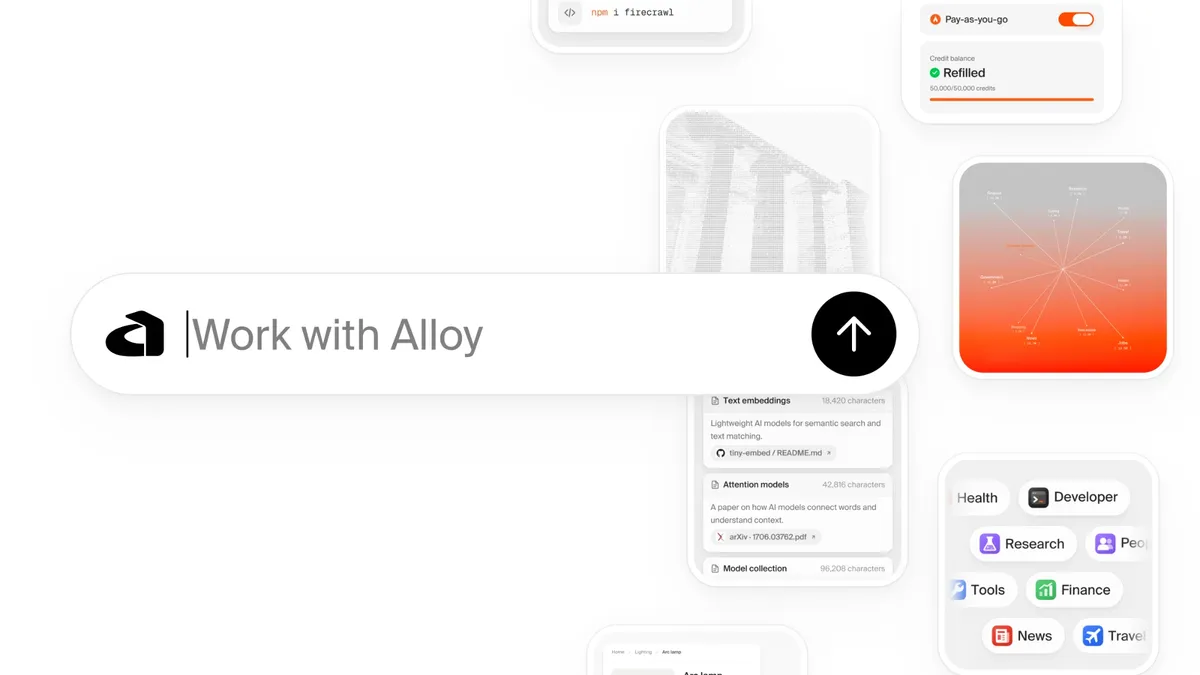
Firecrawl has built Alloy, an internal visual workspace that gives AI agents its brand guidelines, references and craft skills so teammates can produce on-brand assets. According to Rhys Hanak, who wrote about the project on the Firecrawl blog, the tool has "saved me and my team days of work."
- Alloy is Firecrawl's internal visual workspace for creating and editing brand assets with AI agents.
- The agent runs in Codex or Cursor and edits project files, while Alloy supplies context, previews, version history and publishing.
- Components include canvases, chats, brand guidelines, skills, a Library, tools and automations.
- According to author Rhys Hanak, editable product demos have been the biggest win because they avoid re-recording.
- Alloy uses Firecrawl to search the web for design references.
A workspace around the agent, not a new agent
Alloy is described as a design harness: the context, tools and control around a model that make it useful for a real job. The agent itself runs in Codex or Cursor and creates or edits the underlying project files. Alloy decides what context the agent receives, shows the result, keeps every version and gives approved work a place to live.
In practice, briefs, references, chats, brand guidelines, skills, previews and saved iterations sit in one place. Tools and automations support repeatable production, and a Library holds the work the team has chosen to publish. Hanak calls it his "design factory", a nod to the software factories, in which agents open, review and merge pull requests. In Alloy, a person still directs the work and judges what ships.
Firecrawl also uses its own product in the tool: Alloy relies on Firecrawl to search the web for design references.
Why Firecrawl built it
Hanak says he has been the person briefing designers, the person waiting for design capacity and the person doing the work himself, and Alloy grew out of frustrations in all three roles. Every launch produces a stream of visual work, including product demos, graphics, social assets, animations, charts and sales materials, each with its own formats and revisions.
He gives one example: a fairly simple sell sheet could take three or four days to turn around because the designer had other priorities. He calls that a capacity and workflow problem, since the sheet mostly waited in a queue. Alloy aims to make design decisions and production patterns reusable so each new asset builds on earlier work, while the people who understand the brief do more of the production and the brand's visual identity stays intact.
The post places Alloy in a wider trend. It says building internal tools has become the norm in 2026, and points to Protodash, an internal prototyping platform built by Stripe design manager Owen Williams for high-fidelity dashboard prototypes. Hanak says Protodash targets product prototypes and Alloy targets brand and launch assets, but both give an agent a company's components, rules and context inside a tool built for its workflow.
What is inside Alloy
The post lists the main components:
- Canvases: a visual space for briefs, references, working assets and saved iterations, so the context stays next to the result.
- Chat: multiple chats per canvas, with inline @ tags or selected items to give specific context.
- Brand guidelines: a maintained source for typography, colors, marks, layout, motion and design principles. The agent receives exact values, such as real hex codes and the type scale, instead of guessing.
- Skills: reusable instructions for layout, typography, interface detail and accessibility.
- Previews: a place to review output, scrub through motion, save versions and continue from the strongest direction. Native project files are kept, so compositions stay editable.
- Library: work someone has deliberately published for teammates to find and reuse. Experiments stay on the canvas until then.
- Tools: reusable generators and visual treatments, such as chart styles or diagram layouts, that give the agent a consistent starting point.
- Automations: sequences for repeatable tasks, for example turning one image into a launch pack for email, changelog and blog.
- Recreation: turns a video, GIF, link or live page into an editable, native animation.
- Sound: music cards, code-generated sound effects and tools to sync and mix audio to a video.
Editable demos and what it means for the team
Hanak says editable product demos have been the biggest win. Firecrawl is shown across many surfaces, including the terminal and apps such as Grok, Claude and ChatGPT, and reusable recreations of those interfaces give the team a base for explaining different workflows.
A screen recording captures one sequence of events, he writes. During a launch the interface, wording, timing or story may still be changing, and a small change can trigger a disproportionate amount of rework. With an editable demo, a launch demo can keep changing without being re-recorded.
For Firecrawl, the stated result is that teammates without design expertise can generate the assets they need, while brand rules and craft knowledge are supplied to the agent rather than left to chance. Hanak describes the mindset as one where everyone is a builder, the design team included. Alloy is an internal tool, and the post does not announce any public release.