Vercel Connect CLI Now Lets You Search 1000+ Services From the Terminal
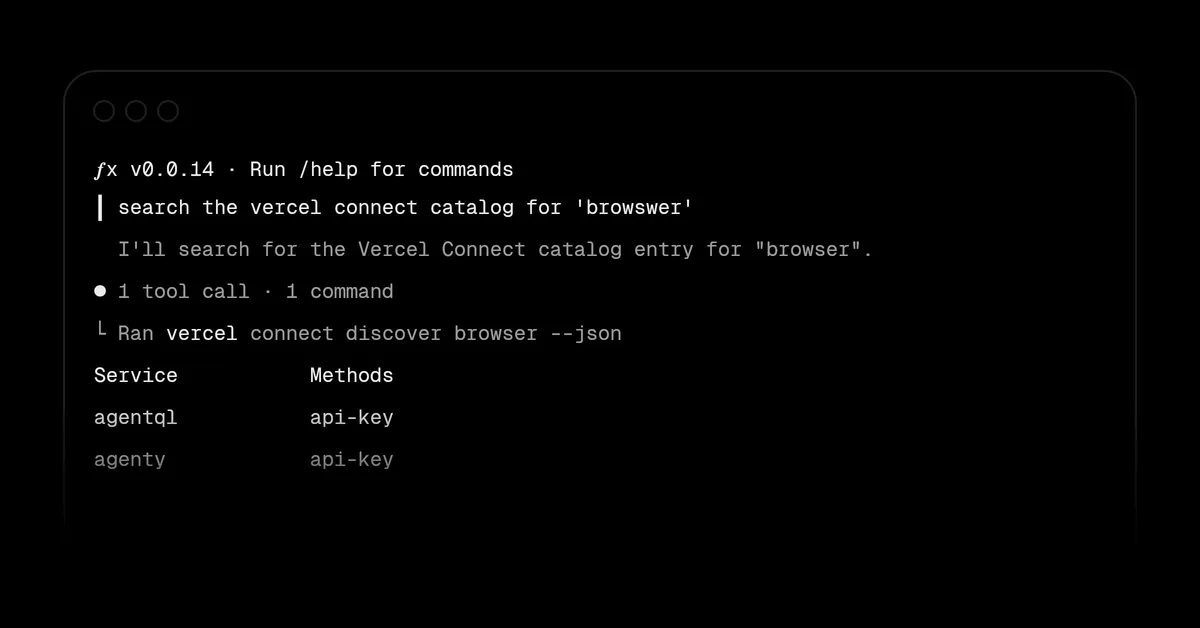
Vercel has added a discovery feature to its command line interface, so developers and their agents can browse and search more than 1000 services in Vercel Connect without leaving the terminal. The new command, vercel connect discover, is available in version 64.1.0 or later of the CLI.
- Vercel Connect CLI now includes vercel connect discover to search more than 1000 services.
- Search works by name, alias, keyword and description, with filters for category, connection method, product and webhook triggers.
- vercel connect categories lists category slugs, and both commands support --format=json for scripts and agents.
- Service names can be passed to vercel connect create, for example vercel connect create slack.
- Requires version 64.1.0 or later of the CLI.
Search by name, alias, keyword or description
The new vercel connect discover command searches the Vercel Connect catalog by name, alias, keyword and description. According to Vercel, a query such as vercel connect discover crm returns matching services directly in the terminal.
The changelog frames the feature as useful for both people and software agents: "You and your agents can now browse and search more than 1000 services available in Vercel Connect without leaving your terminal." Both new commands support the --format=json flag, which makes the output easier to consume in scripts and agent workflows.
Filters for category, connection method and triggers
Results can be narrowed in several ways. Vercel lists the following options:
- Filter by category, for example vercel connect discover --category ai --category data, where the flag is repeated to combine categories.
- Filter by connection method, such as mcp or oauth, for example vercel connect discover --connection-method mcp.
- Filter by the product a service exposes.
- Limit results to services that forward webhook triggers with vercel connect discover --supports-triggers.
A second command, vercel connect categories, lists the category slugs that can be used with the category filter, so users do not have to guess valid values.
From discovery to a connector
Once a service has been found, its name can be passed to the command that creates a connector. Vercel's example is vercel connect create slack, which creates a Slack connector through the CLI. This links the search step and the setup step in the same terminal workflow.
To use the feature, users need to update to version 64.1.0 or later of the CLI. Vercel points to its Vercel Connect CLI docs for further details. The changelog entry credits Hedi Zandi as a contributor.
What it means for developers
Based on the changelog, developers who work with Vercel Connect can now find services and check how they connect (for example through mcp or oauth) or whether they forward webhook triggers, all from the command line. The JSON output option means the same lookups can be automated by scripts or agents rather than done by hand in a browser. The source does not give further detail on pricing or availability of individual services.
Vercel: Discover 1000+ services on Vercel Connect from the CLI