Vercel MCP adds submit_feedback tool for reporting bugs from your agent
Vercel MCP now includes submit_feedback, a tool that lets users send bug reports, friction reports and feature requests directly to the Vercel team from their agent or harness. According to Vercel, users can ask for this in plain language.
- Vercel MCP now includes a submit_feedback tool.
- It sends bug reports, friction reports and feature requests directly to the Vercel team.
- Agents can attach structured context: tool, task, expected behavior, actual result and type.
- The tool requires sign-in and sends feedback only when the user asks the agent to share it.
How the feedback tool works
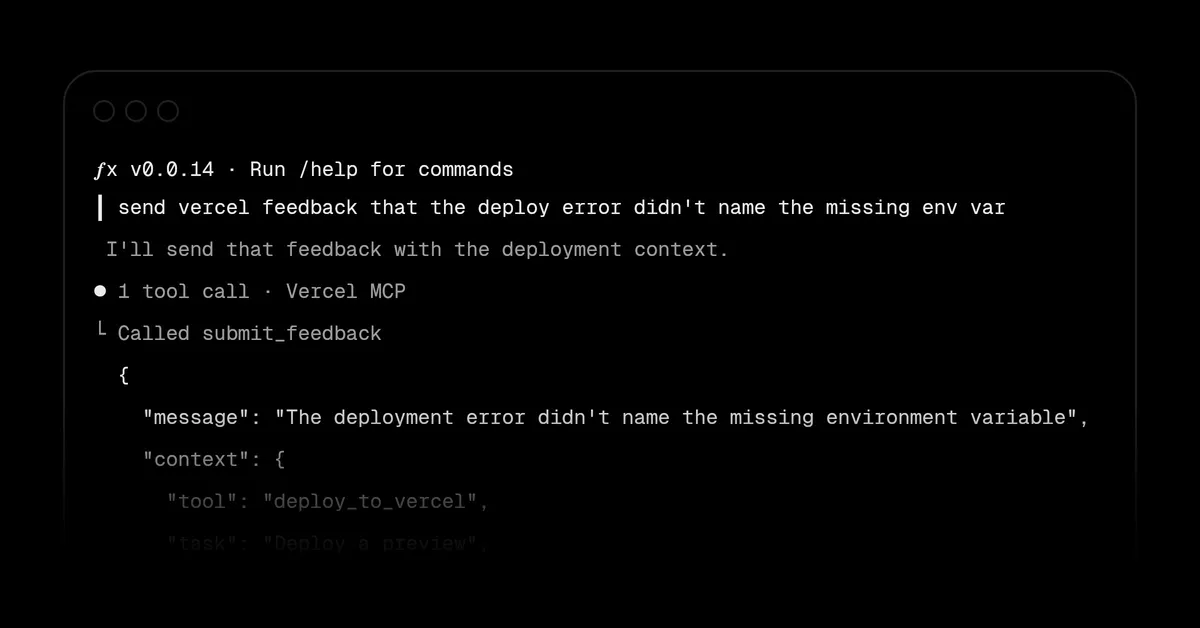
The new submit_feedback tool is part of Vercel MCP. Instead of leaving their working environment to file a report, users can tell their agent to pass feedback on to Vercel. Vercel gives an example of such a request: "Send Vercel feedback that the deployment error didn't explain which environment variable was missing."
The tool covers three kinds of input: bug reports, friction reports and feature requests. All of them go straight to the Vercel team.
Structured context attached to each report
Beyond the free-text message, the assistant can attach structured context describing the task, the expected behavior and what went wrong. Vercel's example payload contains a message and a context object with several fields:
- tool: deploy_to_vercel
- task: Deploy a preview
- expected: An error identifying the missing variable
- actual: Build failed without naming the variable
- type: bug
The message in the example reads: "The deployment error didn't name the missing environment variable." Because the report names the tool in use, the intended task and the gap between expected and actual results, the Vercel team receives the details of the failure along with the complaint itself.
Sign-in and user control
Vercel states that the tool requires sign-in. It also says feedback is sent only when the user asks the agent to share it, so the agent does not submit reports on its own.
To get started, users connect their agent to Vercel MCP and read the submit_feedback documentation.
What it means for users
For people who deploy through an agent, problems such as an unhelpful error message can now be reported at the moment they occur, in the same place where the work is happening. The structured fields give a consistent way to describe what was attempted and what went wrong. The explicit request requirement and the sign-in step, as described by Vercel, keep submission under the user's control.
Vercel: Send feedback from the Vercel MCP