GitLab Connects Coding Agents to Automated Review, CI and Security Workflows
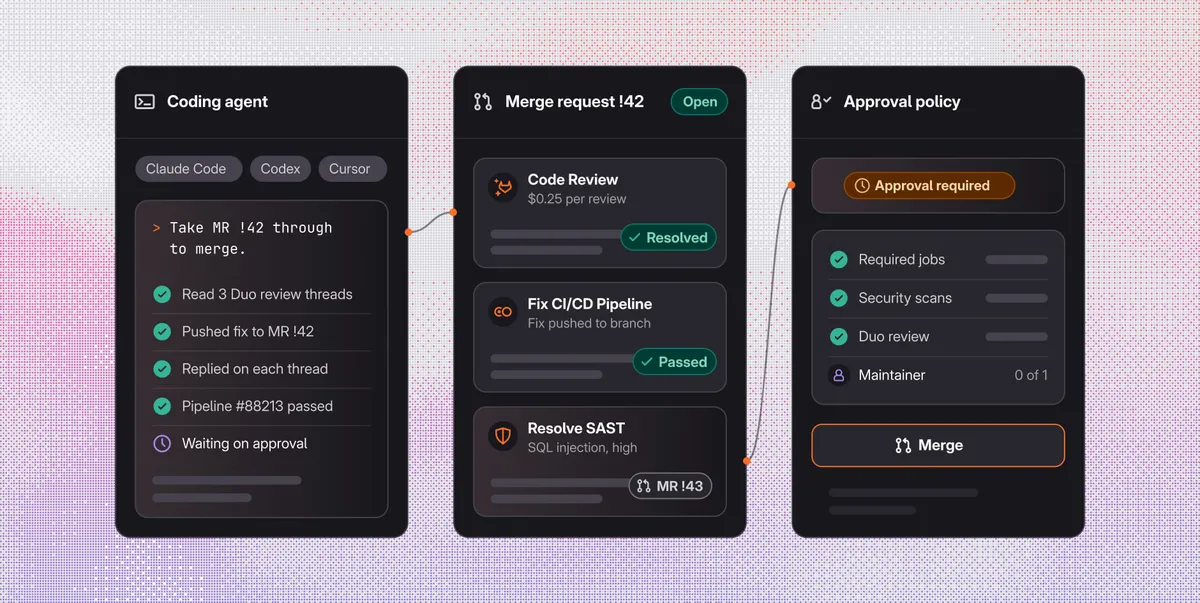
GitLab is introducing a configuration that connects coding agents including Claude Code, Codex, Cursor, Devin and OpenCode with GitLab Duo workflows for code review, pipeline repair and security triage. The company says the setup makes team-wide engineering and security policies the default, regardless of whether a person or an agent wrote the change.
- GitLab connects Claude Code, Codex, Cursor, Devin and OpenCode with Duo workflows.
- Duo reviews eligible merge requests for $0.25 at list price.
- Duo can repair failed pipelines and, on Ultimate, triage security findings.
- Approval policies and required pipelines apply to agent and human changes.
- Owners can configure a group, while Maintainers can start with one project.
One workflow from merge request to deployment
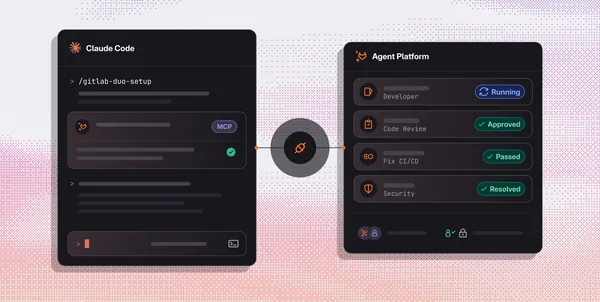
The GitLab Duo setup skill connects a coding agent to GitLab and configures automatic review and failed-pipeline repair. On the Ultimate tier, teams can also opt in to security triage and remediation. The skill shows what remains for a person to handle, while the configured work continues in GitLab after the developer closes their editor.
An optional MR follow-up skill brings review and pipeline feedback back into the coding session. It checks review threads, failed jobs and merge conflicts, allowing an agent to work through outstanding tasks from the developer's environment or hand a conflict to the Developer flow for resolution in GitLab.
GitLab says Duo can use information from the repository, merge request discussion, CI logs and scanner results. Reviews, pipeline results and approvals remain attached to the merge request, and a pipeline fix can link back to its Duo session.
Review and repair features
GitLab says every eligible merge request can receive a separate Duo review for a flat $0.25 at list price. At that rate, 1,000 reviews cost $250. The company compares this with Anthropic's Code Review, which it says averages $15, $25 per review, putting the same volume at $15,000 or more. Duo posts feedback on the diff when a merge request is marked ready, after which a coding agent can read the comments, make agreed changes and reply to the threads.
On Ultimate, Duo can flag likely false positives from static application security testing and secret detection. It can also open merge requests with fixes for eligible SAST findings, usually about 10 minutes after a scan, according to GitLab. The proposed change can then be tested, scanned and reviewed under the same rules as other changes.
When a pipeline fails, the Fix CI/CD Pipeline automation starts a session and links it to the merge request. Duo can suggest a change, open a fix merge request or explain why it cannot propose a reliable fix. The proposed fix still has to pass CI.
Policy controls and getting started
GitLab's approval rules can require a person to approve every merge request or add approvers when a scan finds a vulnerability. Pipeline execution policies can require jobs to run, while tool approval guardrails can require a person to approve sensitive actions. GitLab says tool calls through its MCP server can appear in Audit events when storage is enabled. If Duo is allowed to approve merge requests, its approval does not count toward required approvals.
Composite identity links each agent action to both the agent and the person who started it, while limiting access to what both are allowed to do. Teams can also select models for agentic flows from Anthropic, OpenAI, Google or open-weight providers.
To set up the configuration, users paste GitLab's installation command into their coding agent and run gitlab-duo-setup for a GitLab group. The agent displays a plan before making changes. An Owner can configure an entire group, while a Maintainer can begin with one project. GitLab says users new to Duo Agent Platform and GitLab Ultimate can start a free trial.
GitLab: The best way to use your coding agents with GitLab