GitLab adds scheduled automations for recurring engineering work
GitLab is adding scheduled automations to its Duo Agent Platform, allowing teams to run recurring engineering workflows without waiting for a person or event to start them. The feature is available in beta in GitLab 19.6 and records each automation run for review.
- Scheduled automations are in beta in GitLab 19.6.
- Teams can schedule workflows from every 15 minutes to every month.
- Each automation uses a dedicated service account with scoped permissions.
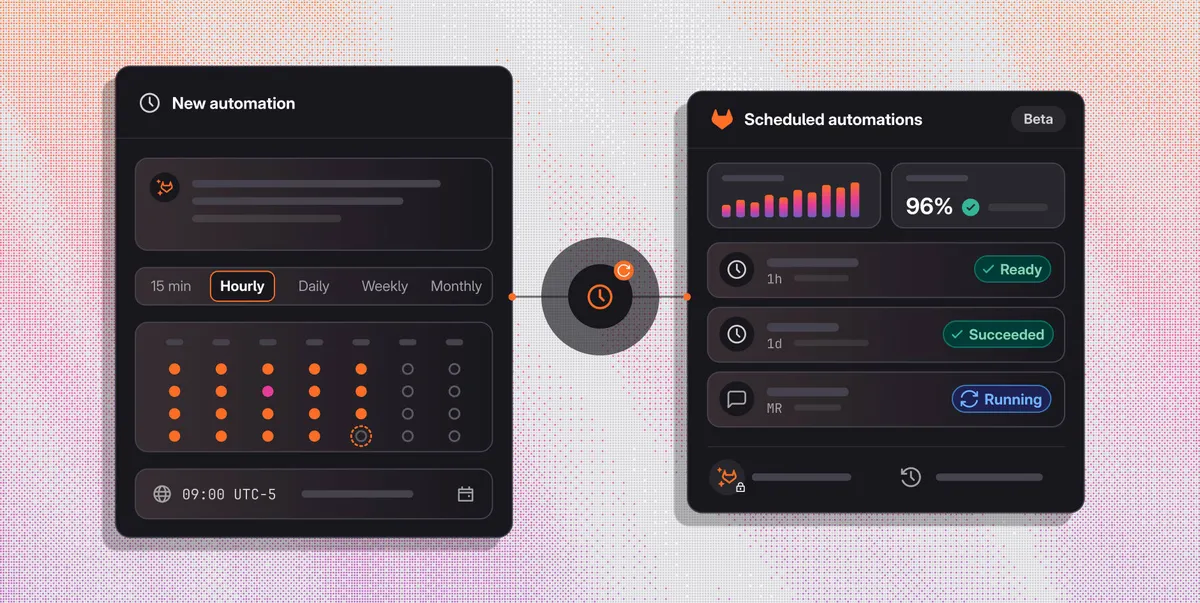
- The Automations page shows run volume, success rate and session details.
- The feature uses GitLab Credits.
Recurring work can run on a team-defined schedule
Scheduled automations are designed for routine tasks such as issue triage, incident investigation and reporting. Teams describe a task in plain language, set a cadence and choose the time of day and timezone. Schedules can run as often as every 15 minutes or as infrequently as every month.
GitLab says the feature addresses a limitation of event-based automation, where work begins only after an activity such as a merge request or comment mention. Scheduled automations require no event, allowing routine work to start at a predictable time. Each automation runs at the project level.
Examples include a daily review of new issues that labels them as bugs or features, an hourly check of CI health incidents that comments with a likely root cause, and a weekly report listing open issues with no activity in the last 30 days.
Run history and permissions support oversight
GitLab is positioning scheduled automations as a controlled way to let agents handle work around a software project. Each automation runs as a dedicated service account with scoped permissions, helping teams distinguish agent activity from human activity in audit events.
Audit events record changes to every automation. A redesigned Automations page, previously labeled Triggers, brings scheduled and event-based automations together and shows run volume, success rate and session details. If a run fails, the page shows the reason, while the session view lets users inspect what the agent did.
According to GitLab, these records are intended to provide an evidence chain for work carried out by agents and flows. That visibility can help teams identify what ran, what happened and who changed an automation.
Part of GitLab’s governed software factory
GitLab describes the governed software factory as a connected system for moving software from idea to production under an organization’s policies and standards. Scheduled automations add recurring work to that system, such as a weekly vulnerability scan that creates work items for the factory to process.
Other suggested uses include daily duplicate spotting, which comments on new issues that resemble existing requests, and a Friday digest summarizing work that closed and merged during the week. GitLab says the digest can be written in plain language and posted as a new issue for stakeholders outside engineering.
Scheduled automations are available in beta in GitLab 19.6. They use GitLab Credits, and users must turn on experimental and beta features to try them. GitLab says users new to Duo Agent Platform can start a free trial, while Premium and Ultimate customers can turn on the platform and use the GitLab Credits included with their subscription.
GitLab: Keep recurring work moving with scheduled automations