Snowflake CoCo can now set up Snowpipe ingestion pipelines from one prompt
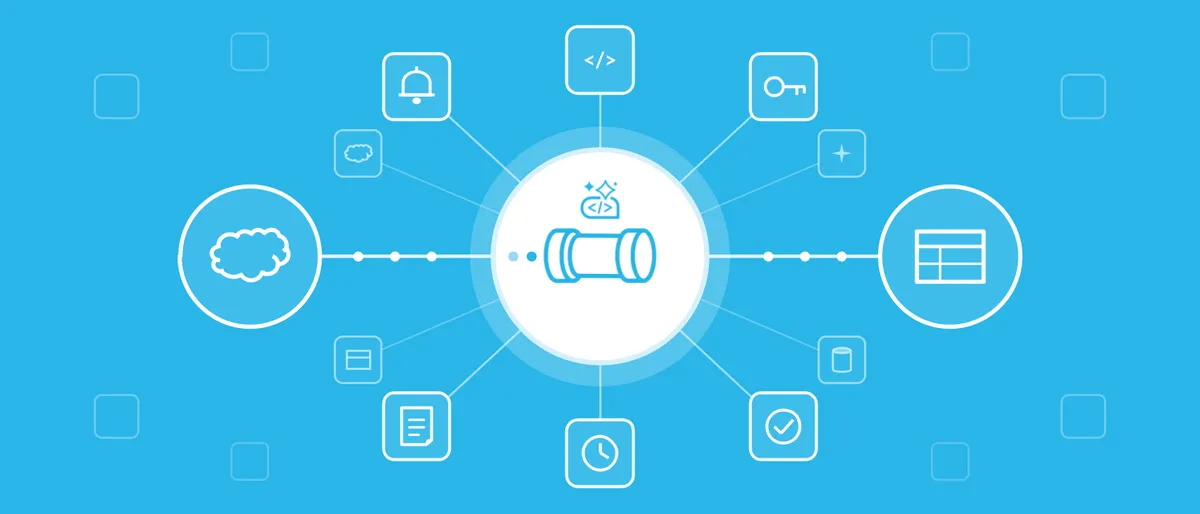
Snowflake has made automated Snowpipe setup with its CoCo assistant generally available. According to the company, teams can go from raw files in cloud storage to a continuously loading standard or Snowflake-managed Apache Iceberg table in a single natural-language conversation.
- Snowflake announced general availability of automated Snowpipe setup with CoCo, available in Snowsight, CoCo Desktop and CoCo CLI.
- CoCo samples files in S3, Azure Blob Storage or Google Cloud Storage, infers the schema, builds the pipeline and checks that data loads.
- On AWS, setup uses time-limited IAM temporary delegation, with no access keys shared.
- CoCo can write Terraform for the full pipeline, and can target Snowflake-managed Apache Iceberg tables.
- By default CoCo shows SQL and asks for approval before changing Snowflake objects.
What CoCo does for a new data source
Snowpipe is Snowflake's continuous loading service. According to Snowflake, it typically picks up each new file within minutes of arrival in cloud storage, on serverless compute that Snowflake manages. The slow part, the company says, is the work before the first load: inspecting files to choose format options, then creating the storage integration, stage, table and pipe. On AWS, a cloud team must also set up an IAM role, a trust policy and the event notifications that tell Snowpipe when a file arrives.
With the new feature, a user points CoCo at a path in Amazon S3, Azure Blob Storage or Google Cloud Storage. CoCo samples the files, detects the format (CSV, JSON, Parquet, Avro, ORC or XML), proposes column names and data types, builds the pipeline and checks that data loads as expected. Automated Snowpipe setup is available in Snowsight, CoCo Desktop and CoCo CLI, and is aimed at anyone with the right permissions, without waiting for a data engineer.
Snowflake says CoCo reuses compatible storage integrations, stages and file formats. If a pipe already covers the same files, it flags this and waits for the user's decision, so data is not loaded twice. Files that arrived before the pipe existed are not left behind: CoCo offers to load the last seven days right away and can run a one-time load for anything older. If an app starts sending new fields, CoCo can turn on schema evolution so they become new columns, asking first on an existing table.
Approvals, AWS delegation and infrastructure as code
Snowflake stresses control. Every statement runs under the user's active Snowflake role, and by default CoCo shows the SQL and asks for approval before creating or changing any Snowflake objects. Once setup is complete, Snowpipe keeps the data flowing after the CoCo session ends.
For Amazon S3, the setup uses AWS IAM temporary delegation. CoCo prepares a request for limited, time-bound permissions: notification access on one bucket and permission to create or update the storage role Snowpipe uses, with a permissions boundary that caps what the role can do. The user reviews the permissions in the AWS Management Console and can allow, deny or send the request to an AWS administrator. Snowflake then creates the storage role and trust policy, and adds the pipe's notification rule while leaving the bucket's existing rules in place. No AWS access keys need to be shared. According to Snowflake, AWS CloudTrail logs every setup action under the delegated role, and Snowflake query history shows each statement CoCo ran.
CoCo offers four setup options: temporary access on Amazon S3, Terraform for the complete pipeline, existing cloud access, or Snowflake objects plus cloud setup files. For teams that deploy through code, CoCo writes Terraform covering both Snowflake objects and cloud resources on AWS, Azure and Google Cloud, including Iceberg tables, for review in a pull request. The fourth option generates Terraform, CloudFormation or ARM templates for a cloud team to deploy. CoCo Desktop and CoCo CLI can apply these files using the cloud credentials on the user's machine, asking before each application. In Snowsight, the files are saved in a snowpipe folder in the workspace.
Iceberg tables and load verification
Users can ask for an Iceberg table instead of a standard one. CoCo then sets up a Snowflake-managed Iceberg table and the pipe that feeds it. Snowflake says Snowpipe writes the data as Parquet, converting other formats as they load, and Snowflake maintains the Iceberg metadata, so Apache Spark and other Iceberg-compatible engines can read the same table. Snowflake also handles table maintenance for these tables.
After access and deployment are done, CoCo checks pipe status, notification delivery and load history, then reports any load errors, so users do not have to query SYSTEM$PIPE_STATUS themselves.
What it means for teams
Snowflake frames the launch around speed: new data sources, such as app clickstream files, security logs, sensor data or partner exports, lose value while they sit in a bucket no one can query. Saptarshi Mukherjee, Senior Director of Product Management at Snowflake, said the company is "handling the hard parts of bringing each new source online." Chris Spandikow, Director of Engineering at AWS, said the delegation approach lets customers "approve limited, time-bound access in the AWS Console while Snowflake handles the Snowpipe setup."
For teams, the change is that connecting a new source no longer depends on a queue for a data engineer and a cloud administrator, while approval steps and audit logs stay in place. Documentation for automated Snowpipe setup is available from Snowflake.
Snowflake: Automated Snowpipe Setup with Snowflake CoCo Is Now GA