Synthesia launches plugin in ChatGPT to build videos inside the chat
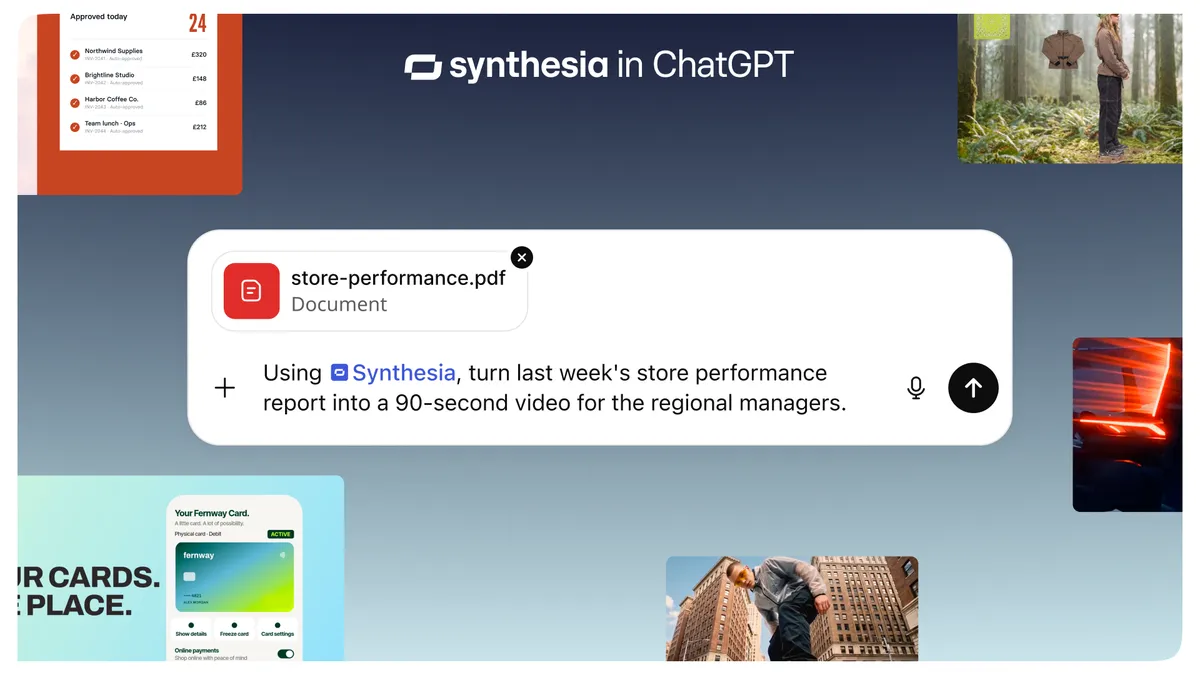
Synthesia has launched a plugin for ChatGPT that lets users create AI videos without leaving the chat. According to the company, it is live on every Synthesia plan, and new users can create a free account while connecting.
- Synthesia has launched a plugin in ChatGPT for creating videos inside the chat.
- Videos are made with Syren by default, or with Studio for exact wording, brand kits and templates.
- Workflows can run once, on a schedule, or when something new lands in Slack or an inbox.
- According to Synthesia, the plugin is live today on every plan, and new users can sign up free while connecting.
From chat to finished video
The plugin lets users describe the video they want, or share a doc, deck or spreadsheet, and Synthesia's platform builds a finished video in the conversation and then refines it with the user. Synthesia says content such as product updates, call notes, launch briefs and how-to scripts can become videos if they are already in ChatGPT.
Users tell ChatGPT what they need, for example a product launch, a feature explainer or a training module. ChatGPT asks a couple of quick questions, such as visual style and length, before Synthesia builds the video. Changes can be requested in the chat. Users can also search their video library from the chat and pull up the details of any video.
Two ways to build: Syren and Studio
By default, videos created in ChatGPT are made with Syren, which Synthesia describes as its fastest format. It combines motion graphics, avatars, voiceover, music and b-roll. The company positions it for explainers, how-tos, launch videos and marketing content.
For cases that need exact wording, a brand kit or a template, users can say "make it in Studio" in their prompt. An avatar then delivers the script word for word, and users can open the video editor to make scene-by-scene adjustments. Synthesia recommends this route for in-depth video such as training, onboarding and compliance communications.
Automated video workflows
The plugin works with other plugins already connected to ChatGPT, so users can build workflows that pull from their tools and turn updates into videos. Synthesia says these can run once, on a schedule, or when something new arrives in Slack or an inbox. The company gives example prompts for several teams:
- Marketing: turn each new post in a release channel into a 30-second launch video.
- Sales: use a Zoom call transcript to make a 60-second recap video with next steps.
- HR: check BambooHR each weekday at 8am and make a 60-second welcome video for each new starter.
- IT: make a 60-second setup video whenever a new tool is announced.
- Support: turn newly published help center articles into 60-second how-to videos.
- Everyone: compile a two-minute company roundup video every Friday from announcements.
How to get started
According to Synthesia, the plugin is live on every Synthesia plan. Users open the Plugins menu in ChatGPT, search for "Synthesia" and click Connect. People new to Synthesia can create a free account as they connect.
The launch means teams that already draft scripts, summaries and briefs in ChatGPT can produce video in the same place, and can set up recurring video production tied to the tools they already use, as far as Synthesia's description goes.
Synthesia: Synthesia Launches in ChatGPT