ThoughtSpot adds a 110-app connector marketplace to its Spotter AI analyst
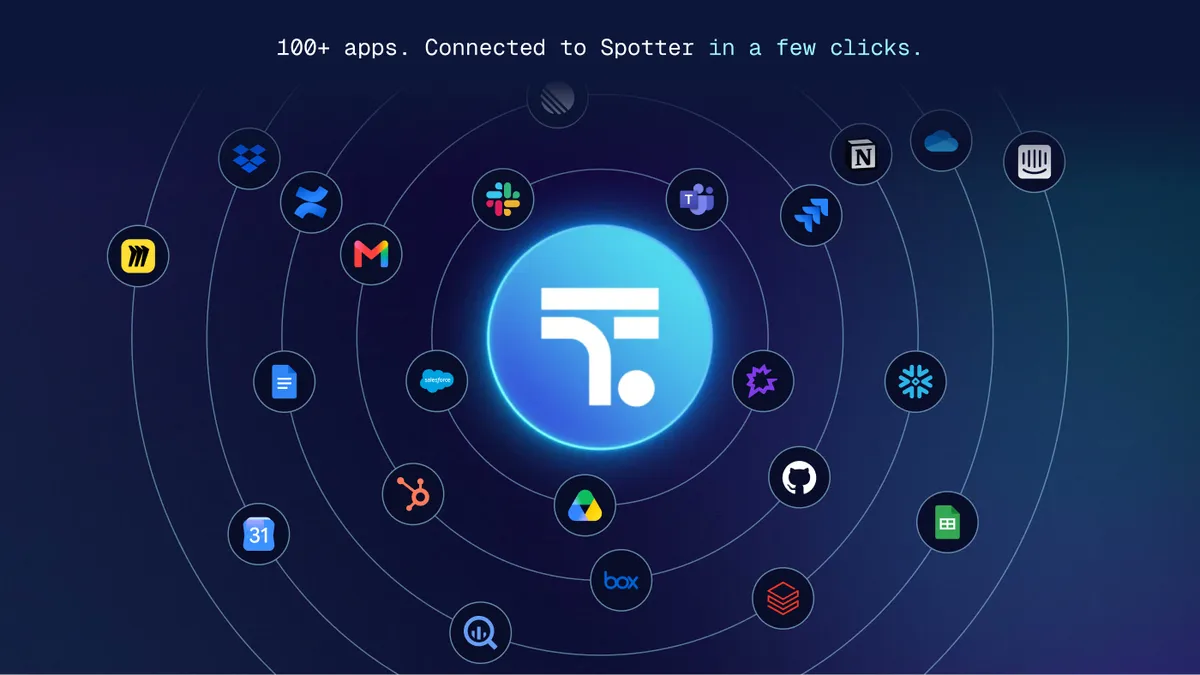
ThoughtSpot has made its Spotter connector marketplace generally available in version 26.10, letting users link the Spotter AI analyst to more than 100 apps such as Slack, Salesforce, Gong and GitHub from the settings page. According to the company, the aim is to bring outside context into answers and let Spotter act on them where teams already work.
- The Spotter connector marketplace is generally available in ThoughtSpot 26.10 and lists 110 apps at launch.
- Connectors cover Slack, Microsoft Teams, Salesforce, Gong, GitHub, Box, Snowflake and more, and any MCP server can be added as a custom connector.
- Read-only tools run by default, while write, delete and interactive tools ask for approval in the conversation.
- Users with the new Can Manage Spotter privilege, not only admins, can add, edit, share and remove connectors.
- With OAuth, ThoughtSpot says it does not store third-party credentials and Spotter sees only what the user can see.
What the marketplace offers
Under Spotter > Settings > Connectors, users see two lists: My added connectors, which shows what is already configured for the instance, and Available to add, which lists 110 apps at launch. ThoughtSpot groups the catalog into several categories:
- Team communication: Slack and Microsoft Teams
- Documents: Google Drive, Google Docs, Google Sheets, Box, Notion and SharePoint
- Revenue operations: Salesforce, Gong and HubSpot
- Work management: Jira, Confluence, Linear and GitHub
- Data platforms: Snowflake, Databricks and BigQuery
ThoughtSpot says a connector does two jobs. It pulls context such as customer call notes or the status of a Jira ticket into an answer, and it lets Spotter act on that answer, for example by posting a finding to Slack, writing a report into Google Docs or updating a Salesforce record. Francois Lopitaux, SVP of Product Management at ThoughtSpot, said: "The answer is only half the job. The other half is getting it where the work happens."
Built on MCP, with custom options
The connectors rely on the Model Context Protocol (MCP), an open standard that gives an AI assistant a common way to use another app's tools. Spotter could already connect to any MCP server, but ThoughtSpot says users had to find a server URL and work through setup docs. The marketplace removes that step.
Setup is a guided form. One-click connectors, such as Slack and Web Search, add instantly. Template connectors, such as Microsoft Teams, Salesforce and Snowflake, link to the provider's own MCP setup guide, where users register an app and obtain credentials like a client ID and secret. Where an app has a static MCP server URL, as with Gong, the form fills it in and the user only supplies credentials.
A Test connection button checks that the server is reachable, fetches its list of tools and calls one tool against the live server. If a step fails, the error names the step and what to fix. Apps that are not listed, or internal MCP servers, can be added through Add custom connector by entering a display name, the MCP URL and an authentication method: none, OAuth or bearer token.
ThoughtSpot also provides its own MCP server, which lets external AI agents interact with ThoughtSpot. The company notes this is a separate integration from connecting outside apps to Spotter.
Permissions, sharing and credentials
Setup is no longer limited to admins. Administrators and any user with the new Can Manage Spotter privilege can add, edit, share and remove connectors. A connector can be shared with specific users or groups in an org, and only they see it in the Spotter chat box. Business users get a view-only look at the marketplace so they know which connector to request from their Spotter admin. Those requests go to the admin directly, not through Spotter.
Every tool a connector brings has a permission. Read-only tools such as search are allowed by default, while write, delete and interactive tools wait for approval in the conversation. Under Manage Permissions, each tool or a whole category can be set to always allow, needs user approval, or always deny.
On data handling, ThoughtSpot says that with OAuth it does not store third-party credentials and uses tokens to talk to apps. Each user signs in with their own account, and Spotter only sees what that user can see in the source app. A bearer token is set once by the admin and shared by every user of that connector, so everyone acts with the token's access. ThoughtSpot advises choosing OAuth where access should follow each person.
An example and how to start
ThoughtSpot illustrates the feature with a sales operations question: why EMEA pipeline dropped last week. Spotter starts with governed warehouse data and finds the drop concentrated in three large opportunities. With the Salesforce and Gong connectors shared, it reads the change history on those deals and pulls call notes, where a budget freeze comes up twice. It then drafts a summary. Because posting to Slack is a write action, Spotter asks for approval in the conversation before sending it.
Customers with Spotter 3 can add a first connector in four steps: open Spotter > Settings > Connectors, browse or search Available to add, click Add and then Test connection, and use the connector's Share option to choose users or groups. ThoughtSpot suggests starting with one read-heavy connector, such as Gong or Jira, and keeping write actions on approval until teams see how they are used.
What it means for teams
For ThoughtSpot customers, the change shifts Spotter from answering questions inside the analytics tool to pulling in context from sales calls, tickets and chats and posting results back into them. Wider setup rights and per-tool permissions are meant to let teams roll out connectors without routing every request through a central admin, while keeping control over what Spotter can change.
ThoughtSpot: Connect Spotter to the Apps Where Your Team Gets Work Done