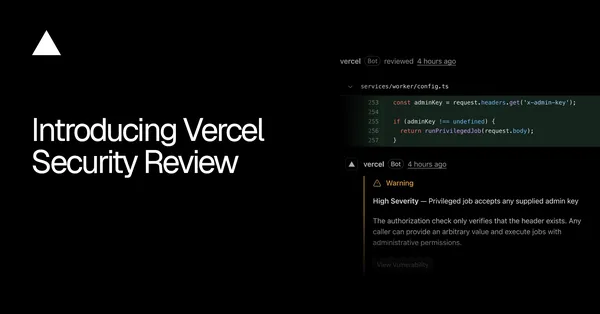
Vercel Security Review can scan GitHub repositories without projects
Vercel Security Review can now scan code changes in GitHub repositories that are not linked to a Vercel project. The change allows teams to review covered repositories directly through the Vercel GitHub App, without requiring a deployment.
- Security Review now supports unlinked GitHub repositories.
- Each push to a covered repository triggers an automatic review.
- Teams can select connected accounts or individual repositories.
- Linked project deployments provide additional review context.
Security Review expands beyond linked projects
Vercel says Security Review now supports GitHub repositories that have not yet been linked to a Vercel project. Previously, the service’s project-based workflow required a repository to be associated with a Vercel project. The updated approach checks commits directly in repositories where Security Review is enabled.
This means a team can use Security Review to scan code changes before a repository has a Vercel project or deployment associated with it. The feature is focused on vulnerabilities in code changes and is triggered by activity in the covered repositories.
How repository coverage works
By default, Security Review covers all unlinked repositories that the Vercel GitHub App can access in a connected GitHub account. Teams can narrow that coverage in Agent settings by selecting specific connected accounts or individual repositories.
After Security Review is enabled, each push to a covered repository automatically triggers a review of its code changes. This gives teams an automated review process for repositories that are accessible through their connected GitHub accounts, including repositories that are not yet connected to a Vercel project.
- Unlinked repositories can be included in Security Review.
- Coverage can be limited to selected accounts or repositories.
- Each push to a covered repository triggers a review automatically.
What linked projects add
Security Review uses repository commits directly when it is enabled for an unlinked repository. When a push creates a deployment for a linked project with Security Review enabled, the review also uses the additional project and deployment context.
Vercel instructs teams to connect an account through their team’s Git settings and then enable Security Review in Vercel Agent settings. The company directs users to its Security Review documentation for getting started.
For teams, the change separates code review coverage from the requirement to have a Vercel project in place. Repositories can be reviewed while they remain unlinked, while linked projects continue to provide extra project and deployment context when a push creates a deployment.