Arize AX adds Together AI to cut the cost of LLM-as-a-Judge evaluations
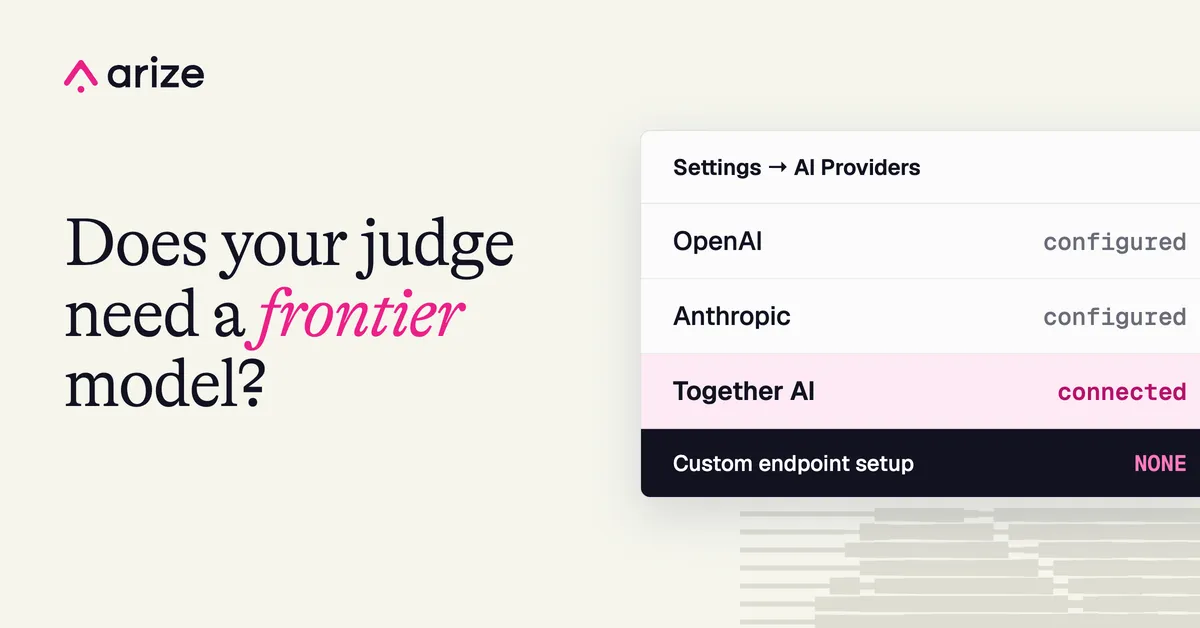
Arize AX now supports Together AI as an AI provider for evaluations, so teams can test open models as judges and look for cheaper alternatives to frontier models. According to Arize, the setup works without configuring custom endpoints.
- Arize AX now supports Together AI as an AI provider for evaluations.
- Teams can use supported Together AI open models for LLM-as-a-Judge evaluations, data labeling and Playground comparisons.
- No custom endpoint setup is needed, according to Arize.
- Setup is under Settings → AI Providers using a Together AI API key.
- Arize AX also offers Cost Agent, which analyzes production traces to find cost savings.
Why evaluation costs add up
Arize says that as AI teams scale their evaluation workflows, the cost of running those evaluations can climb. LLM-as-a-Judge setups often rely on powerful frontier models, even when smaller and less expensive models may be sufficient for the task.
The company gives an example: a team using a frontier model to check thousands of customer support responses for correctness. Every evaluation is an extra call to an expensive model, which adds to the cost of operating the AI system. A smaller open model might handle the same task for less.
The catch, according to Arize, is that a team must first understand how closely the cheaper model's judgments match those of its existing evaluator, and whether it reliably flags the same failures.
What the Together AI integration offers
Together AI provides access to a broad selection of open models through an OpenAI-compatible API. With the integration, teams can use supported Together AI models for LLM-as-a-Judge evaluations, data labeling and model comparisons in the Arize AX Playground.
Arize lists four main uses:
- Run evaluations with open models. Together AI models can evaluate and label data. Arize AX supports custom LLM-as-a-Judge evaluators that score application outputs against criteria the team defines.
- Compare model performance. Teams can test different models and prompts in the Playground to see how they respond to the same inputs.
- Explore lower-cost evaluations. Teams can check whether smaller, cheaper models give sufficiently reliable judgments for tasks currently handled by more expensive ones.
- Skip custom endpoint setup. Together AI connects directly to AX, with no custom model integration to build or maintain.
Arize argues that teams should not pick models on benchmark scores or pricing alone. Instead, they can measure performance on their own data and decide whether the potential savings justify a change.
How to set it up
In Arize AX, users go to Settings → AI Providers, select Together AI and enter their Together AI API key. Once connected, supported Together AI models can be used to run evaluations, generate labels and compare model performance in the Playground. Arize points to its Together AI provider integration documentation for further configuration details.
What it means for teams
For teams whose evaluation workloads are growing, the integration gives a direct way to test whether a lower-cost open model can stand in for a more expensive judge. Arize says the choice of model can have a meaningful impact on AI spend, and the approach lets teams base that decision on their own evaluation results.
Arize also notes that evaluation costs are only part of the picture. For production spending, Arize AX offers Cost Agent, a managed agent that analyzes production traces to identify inefficient model choices, redundant calls and other ways to reduce costs. The company also offers a free way to get started with Arize AX.