Ultralytics YOLO lowers prediction IoU default to 0.5
Ultralytics has changed the default non-maximum suppression threshold for YOLO prediction and tracking from 0.7 to 0.5. The change arrived with Ultralytics 8.4.208, released November 8, 2026, while validation continues to use 0.7.
- Prediction and tracking now default to iou=0.5.
- Validation remains at IoU 0.7.
- The change shipped in Ultralytics 8.4.208 on November 8, 2026.
- Users should lower IoU for duplicates and raise it for merged neighbors.
- Ultralytics recommends setting confidence and IoU explicitly.
A lower default for prediction and tracking
When NMS is applied, Ultralytics YOLO now uses iou=0.5 if no threshold is provided in prediction and tracking workflows. The setting affects Python and command-line prediction and tracking, reused predictors, solutions such as object counting, queue management and TrackZone, and new exports with embedded NMS.
Explicit values still take priority, so pipelines that already set iou continue to behave as before. Ultralytics Platform also lists 0.5 for its IoU slider and deployed endpoint field. The Ultralytics YOLO iOS package defaults to 0.5 in release 8.9.20, while the Flutter plugin uses the same default in release 0.7.2.
Validation remains at 0.7 so published mAP does not change. The SAM, SAM 2, SAM 3 and FastSAM predictors also retain 0.7 because their heavily overlapping masks were not part of the measurement.
Why Ultralytics separated prediction from validation
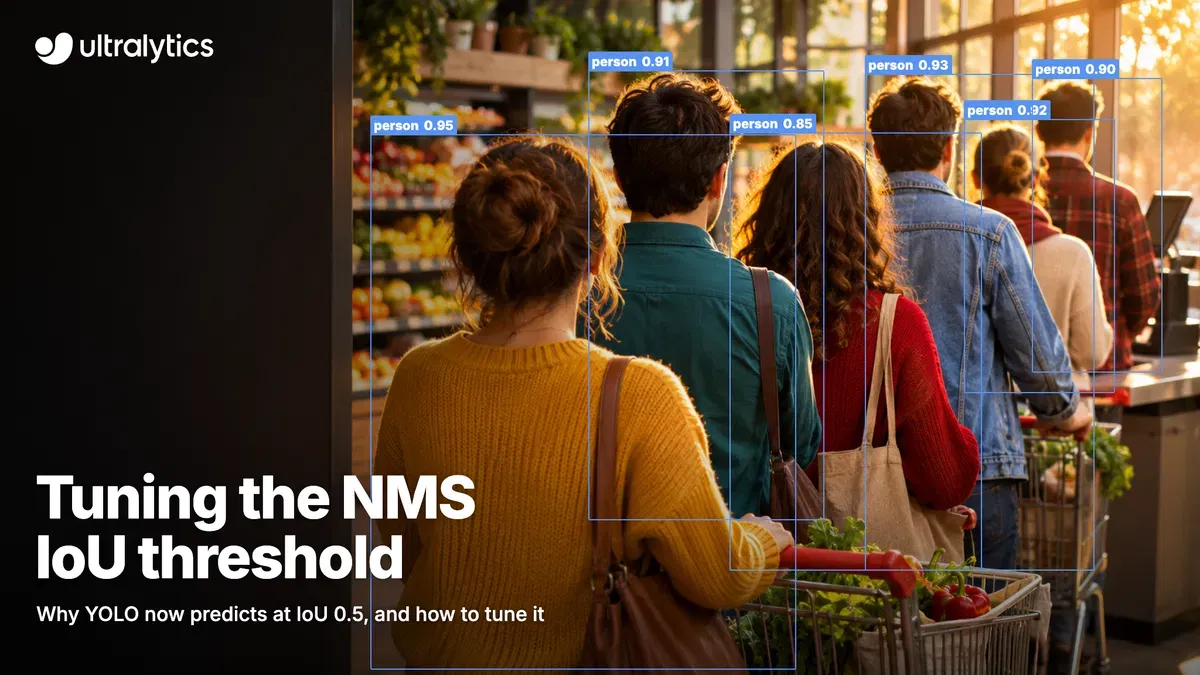
Non-maximum suppression sorts boxes by confidence, keeps the highest-confidence box and removes other boxes of the same class when their overlap exceeds the IoU threshold. A lower threshold removes overlapping boxes more aggressively. That can eliminate duplicate boxes around one object, but it can also remove one of two real objects standing close together.
Ultralytics says validation and prediction need different behavior. Validation scores the ranked list of boxes down to a confidence of 0.001, while prediction returns a final set at conf=0.25. A duplicate has limited impact on validation, but a duplicate that reaches a deployed prediction becomes a visible false positive, affects counts or can trigger an alert.
Results reported by PR #27084 support the change. On COCO val2017 using an RTX PRO 6000, every listed model had a higher F1 score at IoU 0.45 or 0.5 than at 0.7. At 0.5, YOLO11n scored 56.2%, YOLO11x 69.8%, YOLO26n 56.8% and YOLO26x 71.7%.
How users should tune IoU and confidence
Ultralytics recommends changing the setting that matches the problem. If one object receives two boxes, lowering IoU, such as from 0.5 to 0.4, can suppress the duplicate sooner. If one of two neighboring objects disappears, raising IoU, such as from 0.5 to 0.7, can preserve both. Background boxes are primarily a confidence problem, so the company recommends raising conf first. If real objects are missed, lowering conf may help.
Camera position matters. A top-down view tends to separate people and vehicles, making a lower threshold more practical. An oblique view along a queue, lane or aisle can make boxes for different objects overlap beyond 50%, which is a situation where raising IoU toward 0.7 may preserve detections. Ultralytics advises testing a few dozen frames from the deployment camera and comparing predictions with manual counts.
The company also recommends setting both confidence and IoU explicitly wherever the model runs, including exports with embedded NMS, so a future default change does not alter results. Users working with dense scenes should remember that max_det caps detections per image at 300 by default, while agnostic_nms=True suppresses overlapping boxes across classes.
What the change means for YOLO users
The 0.5 default is aimed at producing cleaner prediction and tracking outputs without changing validation metrics. It is most relevant to applications where duplicate detections affect visible results, object counts or alerts. The source also makes clear that 0.5 is a starting point rather than a universal setting: scenes with tightly packed objects may need a higher threshold, while duplicate-heavy footage may benefit from a lower one.
Ultralytics' guidance is to tune the pair of conf and iou on frames from the actual camera, inspect drawn boxes as well as counts, and confirm the selected values on frames that were not used for tuning.
Ultralytics: How to tune the NMS IoU threshold in Ultralytics YOLO