D-ID Launches Presentation Mode, Letting Viewers Interrupt AI-Led Slide Decks
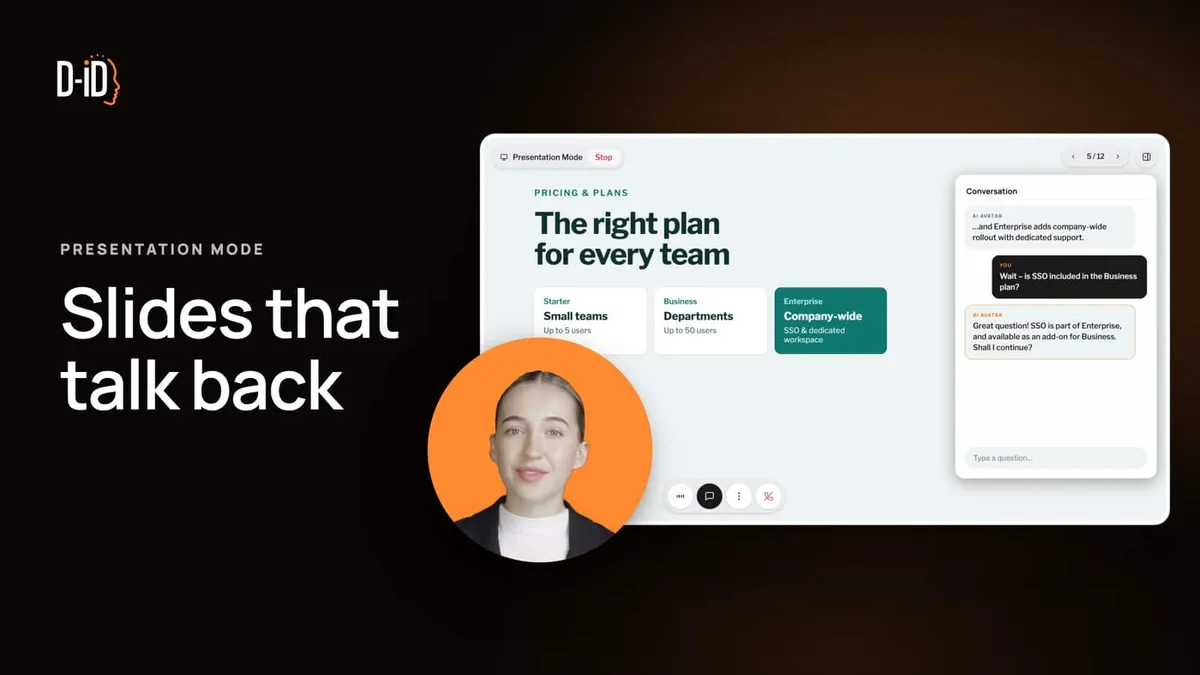
D-ID has launched Presentation Mode, a feature that turns an existing slide deck into an interactive presentation led by a D-ID Agent. Viewers can interrupt at any point, ask a question and get an answer, after which the Agent continues where it stopped.
- D-ID's Presentation Mode turns a PDF, PowerPoint or public Google Slides deck into an interactive presentation led by a D-ID Agent.
- Viewers can interrupt with questions at any point, and the Agent continues where it left off.
- Speaker notes are generated automatically and can be reviewed and adjusted before sharing.
- Decks can be up to 100 MB and up to 100 slides.
- Every session is saved with a full transcript in Insights, exportable as CSV.
How Presentation Mode works
According to D-ID, users start by creating a new Agent in D-ID Studio and adding a deck in the Agent's Knowledge tab. The deck can be a PDF or PowerPoint file, or a public Google Slides link. Decks can be up to 100 MB and contain up to 100 slides.
Presentation Mode then generates speaker notes for every slide automatically, so there is nothing to write, record or rehearse. The company says users can review and adjust the notes before sharing.
Users also brief the Agent: who the audience is, what the goal is and how to pace the session. One example from D-ID is asking the Agent to pause for questions every third slide. Once the link is shared, the Agent starts presenting when a session begins, handles questions as they come and saves every conversation to Insights.
Presentation Mode runs on standard D-ID Agents, so the same avatars, voices and languages are available.
The problem with static decks
D-ID argues that many presentations are never given live. They are sent as attachments, forwarded to colleagues and opened days later by someone who was not in the room. Without a presenter, the company says, slides lose their context, and a viewer with a question has no one to ask. Senders, in turn, do not learn which slides resonated or confused people.
The company contrasts its product with tools that simply read slides aloud, saying Presentation Mode is built around the audience's questions.
Transcripts and Insights
Each session is stored with its full transcript. Sessions appear on the Agent's Insights page in D-ID Studio, showing every question the audience asked and every answer the Agent gave. Conversations can be exported as CSV, or Insights can be shared with teammates via a link.
D-ID suggests teams use the transcripts to spot objections early, fix unclear content when the same question keeps coming up, and follow up with context instead of a generic check-in.
Where D-ID sees it being used
The company outlines four use cases:
- Sales: prospects explore a presentation on their own time and get answers on topics such as integrations, security or pricing, while the sales team sees what they asked before the next call.
- Product marketing: a launch deck can serve existing customers, new buyers and technical evaluators, each steering toward the part that matters to them. The Agent can be set up in the buyers' language.
- Training and onboarding: new hires move at their own pace and ask questions they might hesitate to raise in a room. Repeated questions can point to modules that need a rewrite.
- Internal communications: an all-hands can be shared as a link for people who cannot attend live, something a recording cannot do because it cannot take questions.
D-ID also built a Presentation Mode Agent that presents Presentation Mode itself, and it offers a live demo that visitors can interrupt with their own questions.
What it means
For teams that already rely on decks sent without a presenter, the feature adds two things according to D-ID: answers for the viewer at the moment a question arises, and a record of those questions for the sender. The source does not give pricing or plan availability, so those details remain to be confirmed with D-ID.