Krea launches After Effects plugin for plates, backgrounds and motion concepts
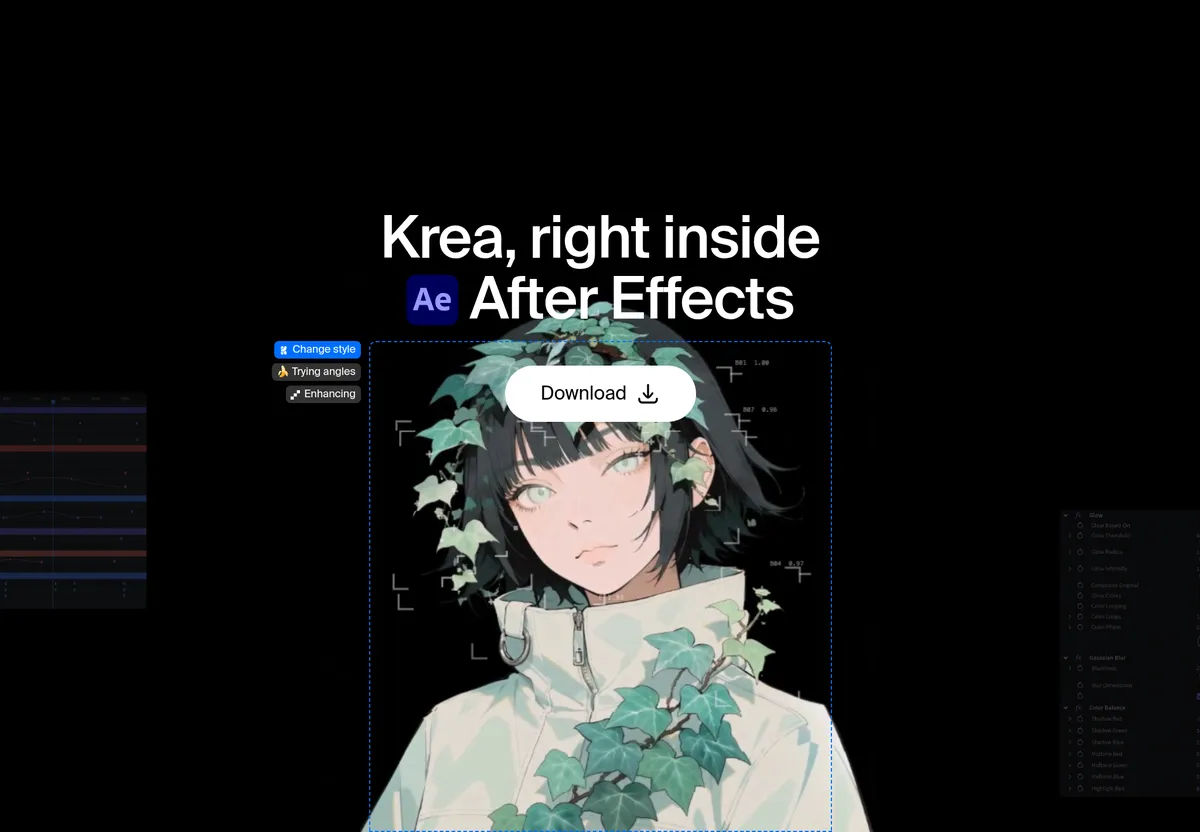
Krea has released Krea for After Effects, a panel that generates source imagery, backgrounds, plates and motion-design directions and drops them into the open composition as project assets. Animation, compositing and timing stay in After Effects, according to the company.
- Krea for After Effects generates plates, backgrounds, motion concepts and consistent frames inside a panel.
- Results enter the project as standard media assets for compositing and animation.
- Requires After Effects 2025 or newer, macOS 12+ or Windows 10+, a Krea account and internet access.
- Krea Realtime gives a live preview beside the comp as prompt, color and composition change.
- Krea says its free plan includes 100 compute units a day.
What the panel does
Krea for After Effects brings the company's image generation into a panel built for motion designers. According to Krea, it covers four jobs.
- Motion concepts: turn a prompt or a reference frame into visual directions to develop in the composition.
- Backgrounds and plates: generate environments, textures and background plates sized for the comp.
- Krea Realtime: adjust the prompt, color and composition while the image updates live beside the work.
- Consistent shots: create related frames, angles and treatments that feel like one sequence.
Everything generated enters the project as a standard media asset. Krea says it behaves like any other footage or still in the project panel, so designers can time it, mask it, parent it and grade it. The company describes the split plainly: "You design the motion in After Effects. Krea supplies the picture."
Workflow and use cases
The process starts in an open composition. Users open the panel, describe a frame or start from a reference frame, explore directions such as compositions, styles, color and backgrounds, and then bring the result into the active project as a new asset.
For plates, Krea suggests using one under typed animation, as a hold for a transition, or as a texture to displace. It also recommends a loop for Krea Realtime: lock the comp size and subject first, nudge color and composition until the plate matches the title treatment, and only then import the frame to animate.
For sequences, the consistency feature is aimed at spots that need a start, mid and end frame sharing the same room, the same palette and a new angle. Krea lists typical jobs: a title background that matches a type lockup, a plate behind a product that was already filmed, style frames for a pitch before the animation is built, and a short set of angles for one scene.
Requirements and installation
The plugin runs on macOS 12 or later and Windows 10 or later, with After Effects 2025 or newer. Generation runs on Krea's servers, so users need a Krea account and an internet connection.
Installation uses a signed installer from the After Effects plugin page. Users run it, restart After Effects, open the panel from Window → Extensions → Krea and sign in with their Krea account.
What it means for motion designers
The plugin targets the stage where designers would otherwise search for stock or paint a temporary background. By keeping generation inside the comp, Krea aims to shorten that step without touching the animation work itself.
Krea says it has a free plan with 100 compute units a day and no credit card required. For heavier image editing, the company points to Krea 3 on the web, which it says takes up to 8 reference images per edit and is 10× faster and 3× cheaper than GPT Image 2 and Nano Banana Pro. Editors working on a timeline can also use Krea for Premiere Pro, and video generation is available on Krea's web video tool.