Seedream 5.0 on Picsart: Pro and Flash Edit and Layer, Lite Searches the Web
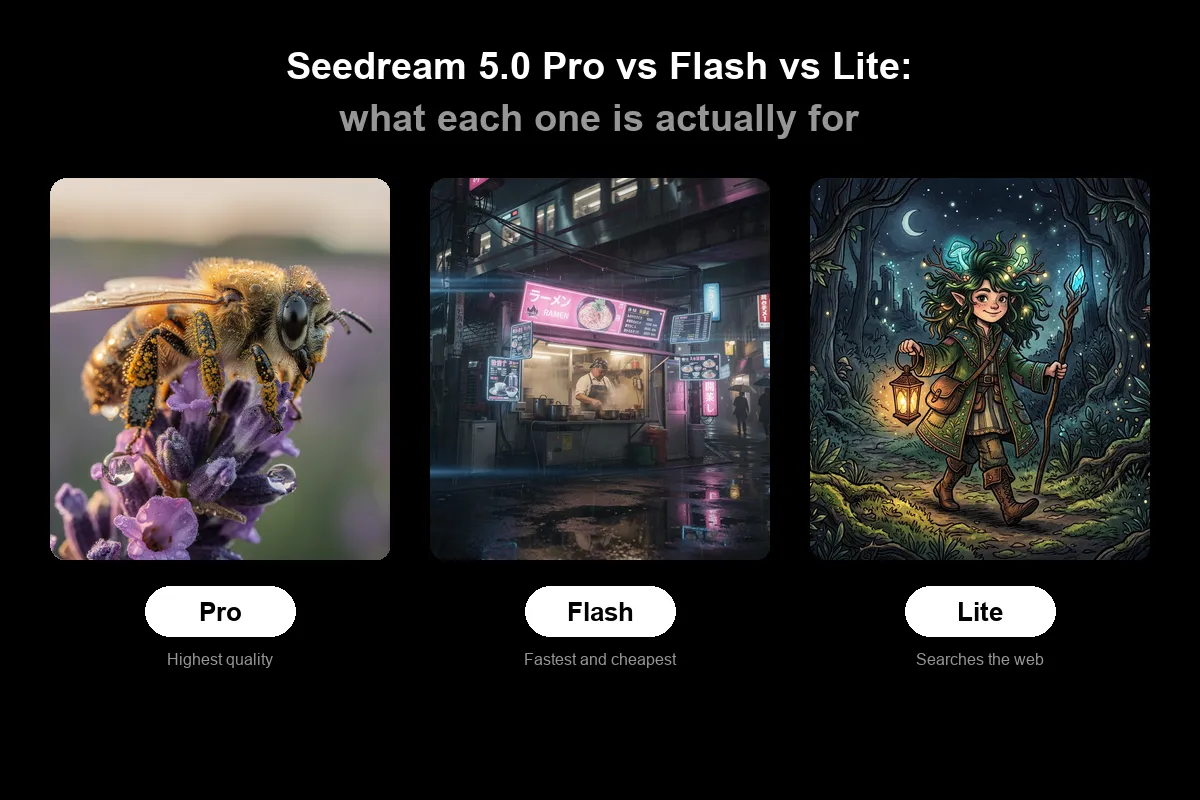
ByteDance Seed's Seedream 5.0 family on Picsart is not a simple good, better, best ladder, according to Picsart. Pro and Flash are a matched pair that differ in quality versus speed, while Lite is an earlier, smaller model built around reasoning and the only one that can search the web.
- Seedream 5.0 Pro and Flash share the same abilities: point-and-edit and layered output of up to 16 transparent PNG layers.
- Pro is tuned for image quality, Flash for speed and lower cost.
- Lite, released in February 2026, is a smaller reasoning-focused model and the only one with real-time web search and negative prompts.
- ByteDance says Lite still has room to improve in structural stability, realism and aesthetics.
- All three run in Picsart's AI Playground, which lists 198 models from 34 providers.
Pro and Flash: the same abilities, different trade-offs
Picsart describes Seedream 5.0 Pro and Flash as doing exactly the same things. Pro renders at higher quality, while Flash generates faster and costs less. ByteDance documents two abilities for both models together, and neither appears in what the company announced for Lite.
The first is pointing at an edit instead of describing it. Users can scribble a circle, sketch a shape or doodle directly on the image, and the model changes what is inside the marking and blends it back into the scene. For more precision, users can drop a point or drag a box. The rest of the frame stays as it was.
The second is layered output. Pro and Flash can split a single image into a base plus up to 16 separate layers covering subjects, background, type and decorative elements. Each layer is a transparent PNG, and the model returns where each sits and the stacking order, so they can be placed on a canvas ready to move, resize, recolour or swap.
Lite: reasoning and live search, with a caveat
Lite arrived in February 2026, months before the other two. Picsart says ByteDance was explicit that its upgrade was not about resolution or speed, but about the model understanding what the user meant.
- Web search: Lite can reach live information while it generates, which suits graphics reflecting current news, weather or trends. The search can be switched off for stable, repeatable results.
- Reasoning: it works through multi-step problems before drawing, which is why ByteDance points it at infographics, diagrams and explanatory visuals.
- Negative prompt: users can tell it what to leave out. Pro and Flash do not expose this.
- Resolution: it outputs up to 3K.
Picsart notes that ByteDance is candid about the limits. Lite is a relatively small model, and the company says there is still room for improvement in its structural stability, realism and aesthetics. In Picsart's words, Lite thinking harder does not make it prettier.
Which model fits which job
Picsart recommends Pro when the image is the finished piece: hero shots, posters, packaging, and series where a character or product must stay recognisable. Pro takes up to 14 reference images and has a faster setting to try before switching models.
Flash is suggested for volume and iteration, such as ad banners, catalogue shots, mockups and variant testing, with point-and-edit and layer abilities kept in full. Lite is the pick when the picture has to be right rather than beautiful: time-sensitive content, charts and diagrams, or cases that call for a negative prompt.
The article also proposes using all three on one campaign. Explore ideas in Flash, render the best one in Pro, fix near-misses with the marking tools, and hand charts or current-information pieces to Lite. Finally, pull the finished design apart into layers in Pro or Flash. Because the models sit in the same place on Picsart, switching costs a click.
What it means for users
The practical point is that the choice is about the job, not a price tier: precision editing, raw quality, or a model that knows what happened this week. Picsart says all three models run in its AI Playground alongside 198 models from 34 providers, with nothing to install, and that Pro also powers its AI Image Generator. Its advice is to run the same brief through all three and compare the results.